
RELEASE NOTES
Character Arc, Action Hub, & More
A campaign-wide evolution that pairs the Character Arc system with entity-wide navigation, Property Tables, and Action Hub controls so every Player Character, NPC, item, and session feels connected without extra manual work.
1/9/26 Release • 8 min read
← Back to the Blog HubWhat This Release Is Designed to Address
- Deeper Player Engagement
Players wanted more meaningful ways to interact with Archivist and their characters. This release adds Character Arc, player-authored Backstories, refreshed Digital Trading Cards, and structured Properties available to both PCs and all other entity types. - Refreshed Entity Pages
Entity pages have been refreshed with a unified Actions button, entity-specific tabs, the Timeline integrated directly on the page, and consolidated info icons. - Scalable Compendium Management
As campaigns grow, organizing and updating large compendiums became tedious. We added new tools to make it easier to search, sort, filter, and update entities at scale through enhanced Compendium Category Pages. - Centralized Campaign Navigation
Key actions and workflows were spread across the app. The new Action Hub centralizes navigation and commonly used tools, including GM bulk actions. Primary actions are now surfaced through a single green actions button across key pages. - Clearer, Denser Timeline UX
Timeline data was powerful but hard to navigate. The Timeline UI is now more information-dense, easier to edit, and integrated directly into Entity Pages and Game Session Pages with filtering and connection context. - Stronger In-App Guidance
We added additional in-app information to complement existing documentation and Archivist Academy videos, making it faster and easier to find answers to common questions.
Compendium
Compendium Category Pages
Manage your entities at scale
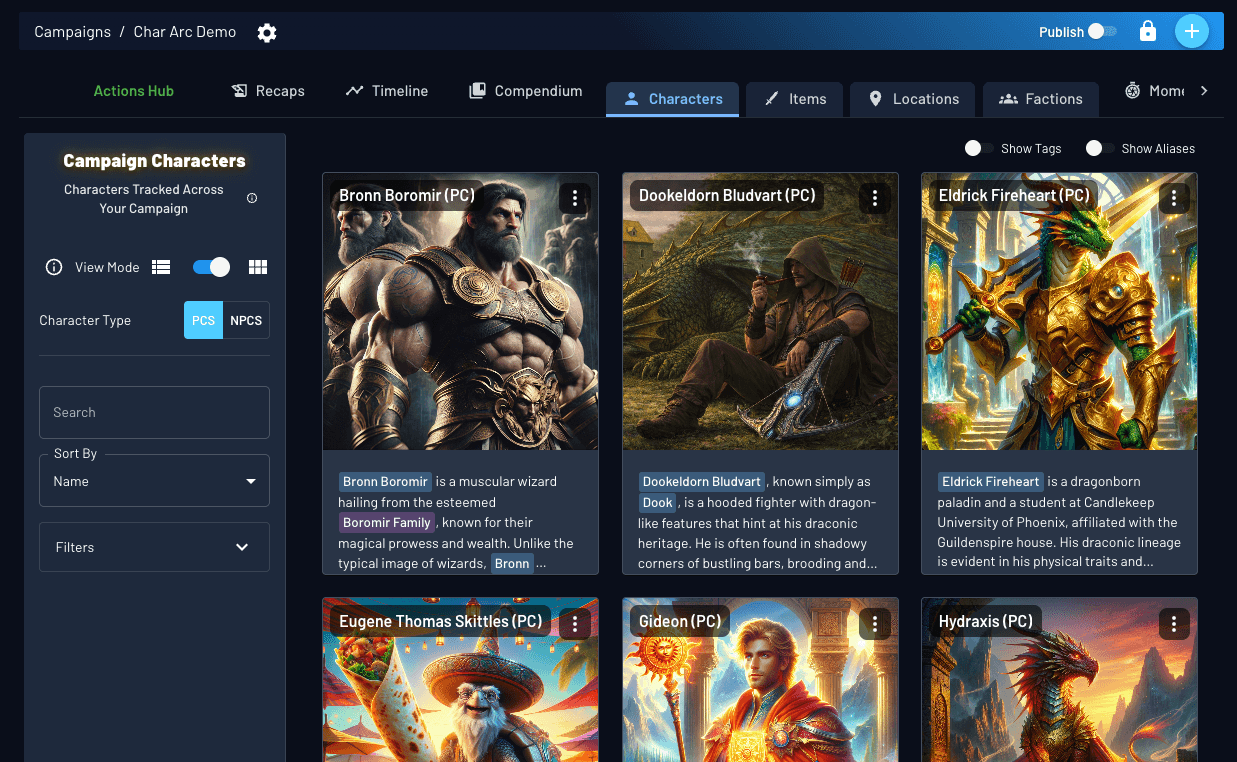
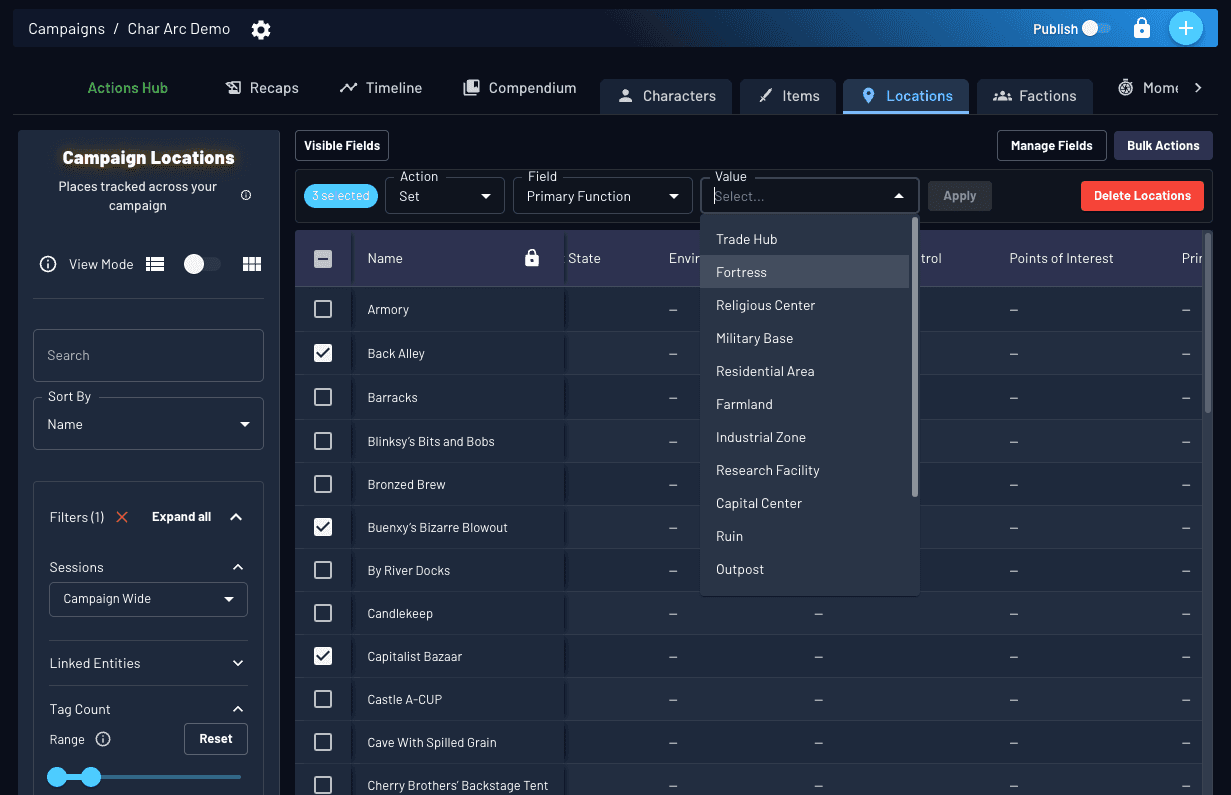
Compendium Category Pages are now powerful control surfaces for managing Characters, Items, Locations, and Factions at scale, across both list and card views.
- Advanced search, sort, and filtering let you narrow entities by session involvement, tag volume, and shared relationships, such as all characters tied to a specific location or faction.
- Properties-based search allows you to filter by structured metadata like allies of the party, origin, or last known location when that data exists.
- Inline bulk editing introduces a dedicated Properties column so you can update multiple entities at once directly from the list view.
Together, these tools reduce repetitive page-hopping and make it easier to audit, organize, and adjust your campaign as it grows.
Entity Page refresh
Cleaner layouts, unified actions, and richer entity context across the app.
UI Cleanup & Actions
Less visual noise, clearer control
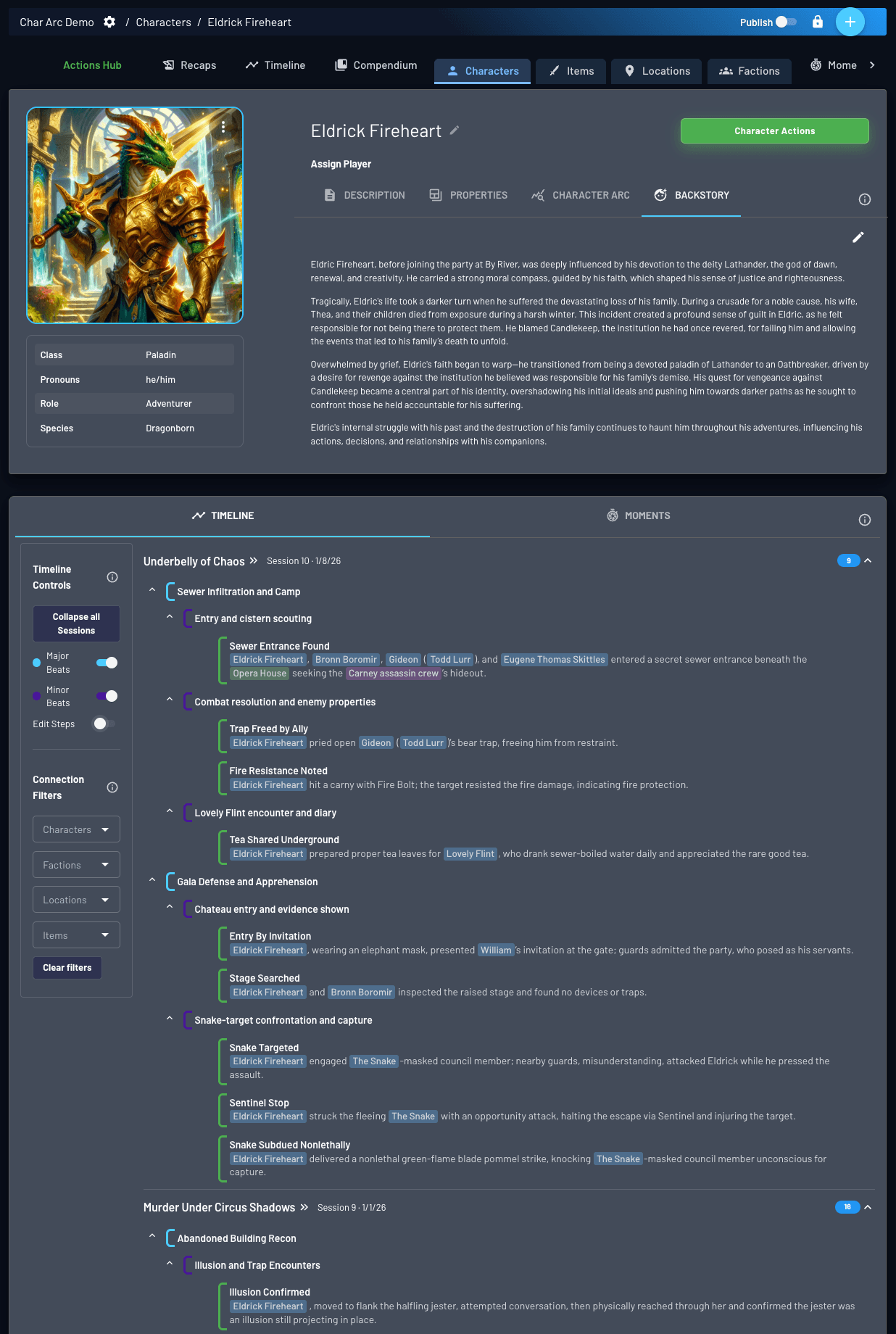
- Image-level actions are consolidated into a single hamburger menu.
- Property fields appear beneath the entity image when available.
- A new Entity Actions button in the top right surfaces key actions in one place.
ENTITY ACTIONS
Entity pages surface structured Properties where relevant, with full details covered below.
Timeline & Moments
- Timeline embedded alongside Moments
- Timeline shows only beats where the entity is tagged
- Toggle major/minor beats and filter shared beats with related entities
Player Character Only
Applies to Player Characters only
Character Arc
Tracks long-term character evolution across the campaign. See Character Arc section below.
Backstory
A player-authored space for character history and personal context. Backstories are never edited by AI and are used only as reference input for Property suggestions and Character Arc updates. They are not embedded into Ask Archivist unless explicitly referenced elsewhere.
Player Characters also use an expanded Properties structure, covered in the Properties section.
Character Arc
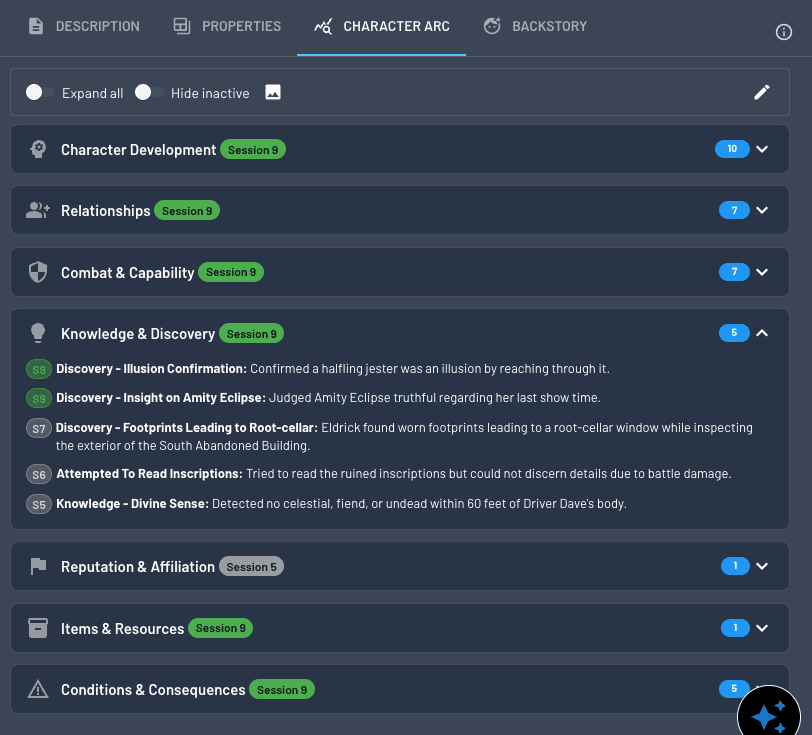
Player Character-onlyCharacter Arc tracks how a Player Character evolves over time by turning session history into a structured, reviewable record of development. Changes are grouped into seven high-level themes and updated incrementally as the campaign progresses.
Character Arc keeps evolution visible and intentional without rewriting or duplicating past content.
How it Works
- Organized into seven high-level themes that group related facets of character development.
- Facets are derived from session timeline beats where the character is tagged, informed by Backstory and prior Arc state.
- Updates run one session at a time, allowing players to review evolution in focused, session-level passes.
Review and Control
Players can trigger Character Arc updates for their own characters.
CHARACTER ARC UPDATES
All changes are manual and player-controlled. Nothing is applied automatically.
Ongoing Evolution
The UI emphasizes recency and progression, reflecting both automated suggestions and player-written edits over time.
GM Access
GMs can also trigger Character Arc updates via the Action Hub when needed.
Property Tables
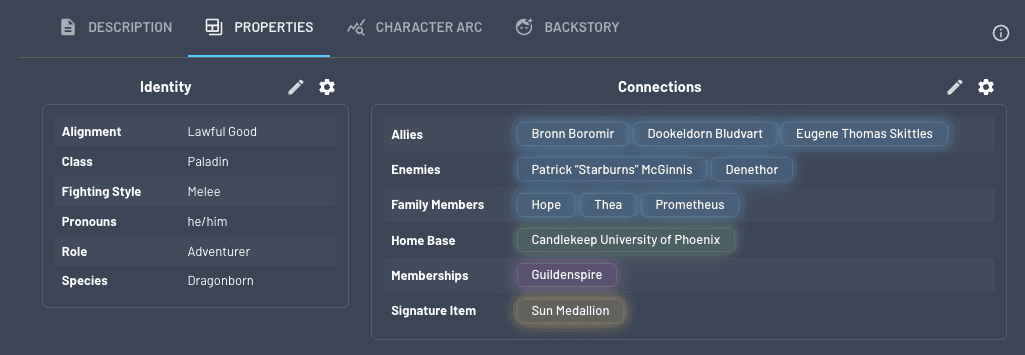
Every entity includes a shared Properties table filled with optional, structured metadata you control. These fields surface across filters, list views, timelines, and bulk actions, making campaign data easier to explore and manage at scale.
⚠️ Important: Schema Changes Affect All Entities
Fields are shared across all entities of the same type. When you add, remove, or modify fields in the schema, these changes apply to every entity of that type in your campaign. Any data in removed fields will be permanently deleted.
Player Characters: Identity and Connections
Player Characters use two dedicated property tables and retain direct control over the attributes within them.
Identity
- Core character metadata such as class, subclass, origin, pronouns, and languages.
- Choose up to 6 active fields from a pool of 20 optional Identity fields.
Connections
- Relationship mapping to other entities in the campaign compendium.
- Choose up to 6 active fields from 20 relationship types.
Player Review and Control
Players can manage properties for characters they own.
- Add, edit, or remove property values.
- Trigger an AI review to suggest updates from recent session content.
- Review suggested changes in a diff view before approval.
Players cannot change which property fields are active or modify schemas.
Non Player Character Entities: General Properties
Non Player entities use a single General Properties table per entity type.
- Each entity type has its own shared schema.
- Choose up to 6 fields per type from a predefined set.
- All entities of the same type share the same configuration.
- For example, NPCs share one schema, items share another, locations another.
These properties are fully user managed and optimized for bulk workflows in compendium list views.
GM and Campaign Admin Access
GMs and Campaign Admins can perform all player actions and additional campaign level controls.
- Configure property schemas for all entity types.
- Edit properties for any entity, including Player Characters and non player entities.
- Bulk refresh PC Property tables in the Actions Hub.
- Apply bulk changes across entities from compendium category pages.
Digital Trading Cards
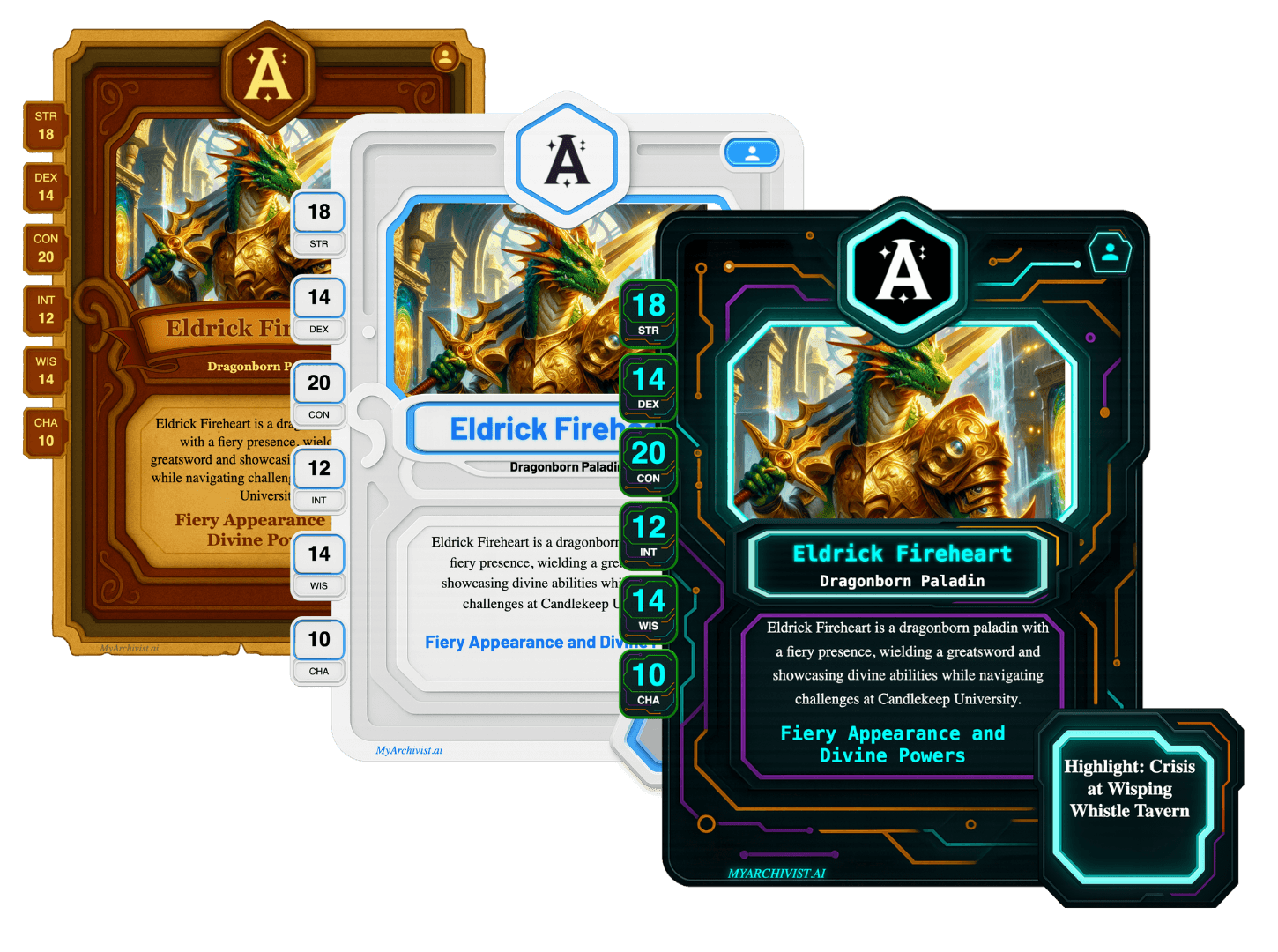
Digital Trading Cards are available for any entity type with an image.
- Cards have been refreshed with improved layout, formatting, and image controls.
- Three visual themes are now available: Parchment, Azure Light, and Night Wire, aligned with Session Handout themes.
- Properties are incorporated to improve accuracy and consistency.
- Cards can be downloaded or shared via email, published links, and supported social channels.
Action Hub
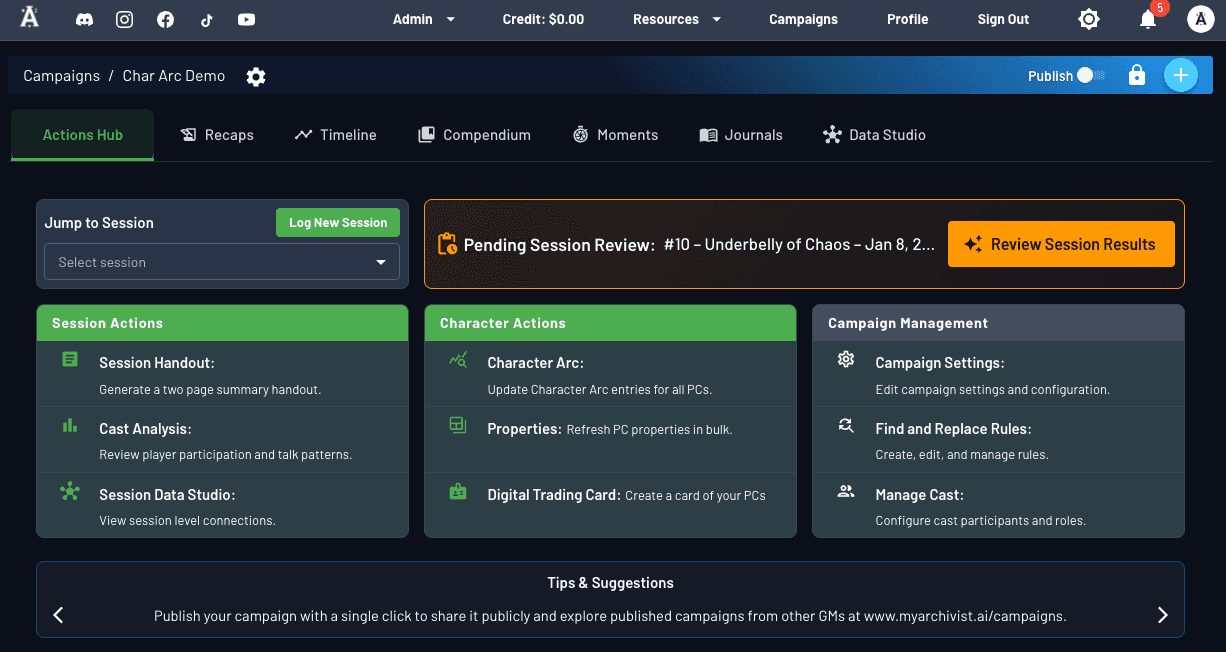
- Visible to owners or admins with the right campaign permissions so control stays centralized.
- Centralizes session navigation, session handouts, cast analysis, and Data Studio jumps.
- Displays pending review badges, plus an "all caught up" state with prep tips when the queue is clear.
Timeline UI Refresh
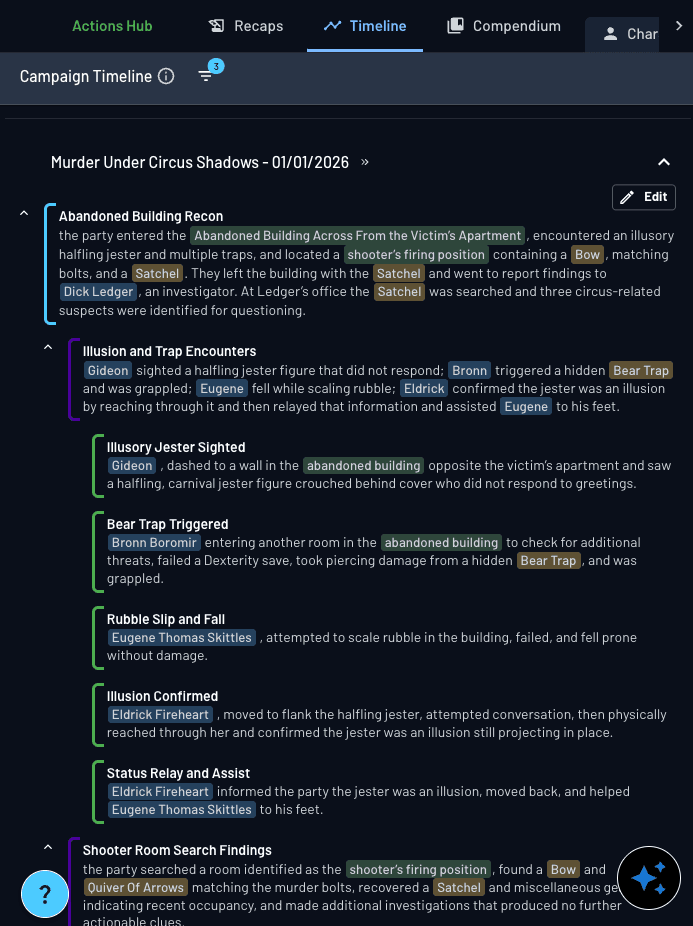
The Timeline UI has been streamlined to increase information density.
Editing now behaves like a lightweight document editor.
Editing beats
- Enable edit mode, then type directly into a beat to modify its text.
- Press Enter at the end of a beat to add a new one.
Beat structure and order
With the cursor at the start of a beat:
- Press Tab to move the beat down a level.
- Press Delete to move the beat up between Major, Minor, and Step levels.
- Reorder beats using standard cut and paste behavior.
Keyboard controls
| Undo | Command / Control + Z |
| Redo | Command / Control + Shift + Z |
| Copy / paste | Standard system shortcuts |
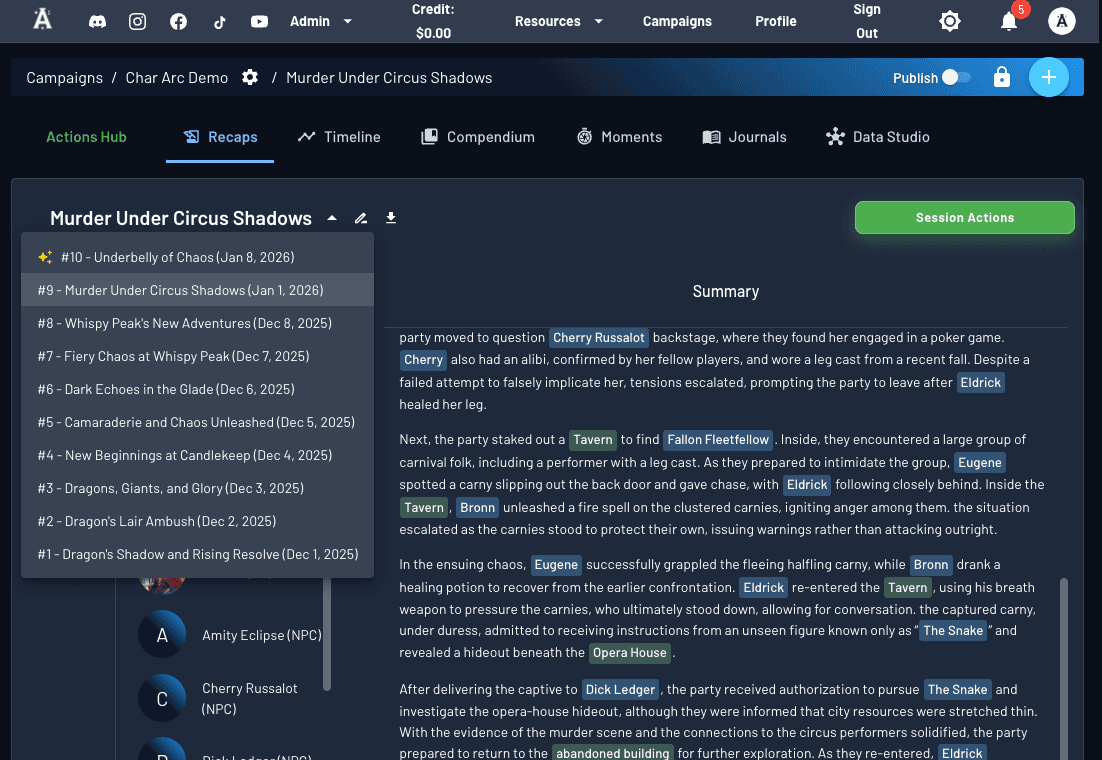
Game Session page UI
- Dropdown navigation moves you between sessions without leaving the page.
- Trigger session handouts, cast analysis, and Data Studio from a single set of quick actions.
- The shared Moments panel now surfaces the session timeline so pacing stays visible as you prep.
Titles, Subtitles & Info Icons
Major campaign tabs and entity views now include clearer titles, subtitles, and helper info icons.
These helpers clarify:
- What a section represents in Archivist's data model
- Whether content is AI maintained, player authored, or mixed
- When updates occur and who can trigger them
- What can be edited manually
Info icons are optional and never block workflows. They surface context inline so you don't need to leave the app to understand how a feature works.

Why this matters
- Character Arc is part of a bigger push to make entity and campaign data structured without sacrificing story.
- DMs get fewer one-by-one chores; players gain more agency with reviewable AI calls.
- Timeline, relationships, and structured metadata now connect across every tab and list.
- Every action is optional, surfaced through InfoIcons, and reviewable before publishing.
Want to learn more? Visit Features for deeper walkthroughs, or jump into the Action Hub in your campaign to explore the new controls first-hand.