
RELEASE NOTES
Introducing Journals
Journals replaces Lore with a permission-aware system for campaign knowledge outside of play sessions. It introduces data partitioning for private and shared notes, as well as Ask Archivist upgrades that respect those boundaries when answering questions.
Published January 5, 2026 • 6 min read
← Back to the Blog HubWhat Are Journals?
Journals are the dedicated workspace for campaign content that is manually created, curated, and never derived from sessions. They live alongside transcripts but have their own lifecycle, ownership, and AI boundaries.
- World lore, setting guides, and reference material that stays static until you change it.
- Session prep notes, DM planning, and player-authored journals or logs.
- Homebrew rules, items, systems, uploads, and any manual content your group relies on.
Who it's for
GMs
- Private prep and hidden lore stay locked until shared.
- Fine-grained sharing means you can invite specific players to see the right notes.
- Ask Archivist respects every permission so secrets don’t leak.
Players
- Players can keep private journals invisible to the GM.
- Ask Archivist can read those journals only when visibility allows it.
- Personal notes, roleplay journals, or theories stay under the player’s control.
Rich Text Editing
Each entry uses a fully featured rich text editor so journals can be living documents instead of static notes.
- Headings, structured sections, and callout blocks keep prep organized.
- Lists, numbered bullets, and tables support complex systems and references.
- Text formatting, fonts, colors, and WikiLinks let you connect notes across your compendium.
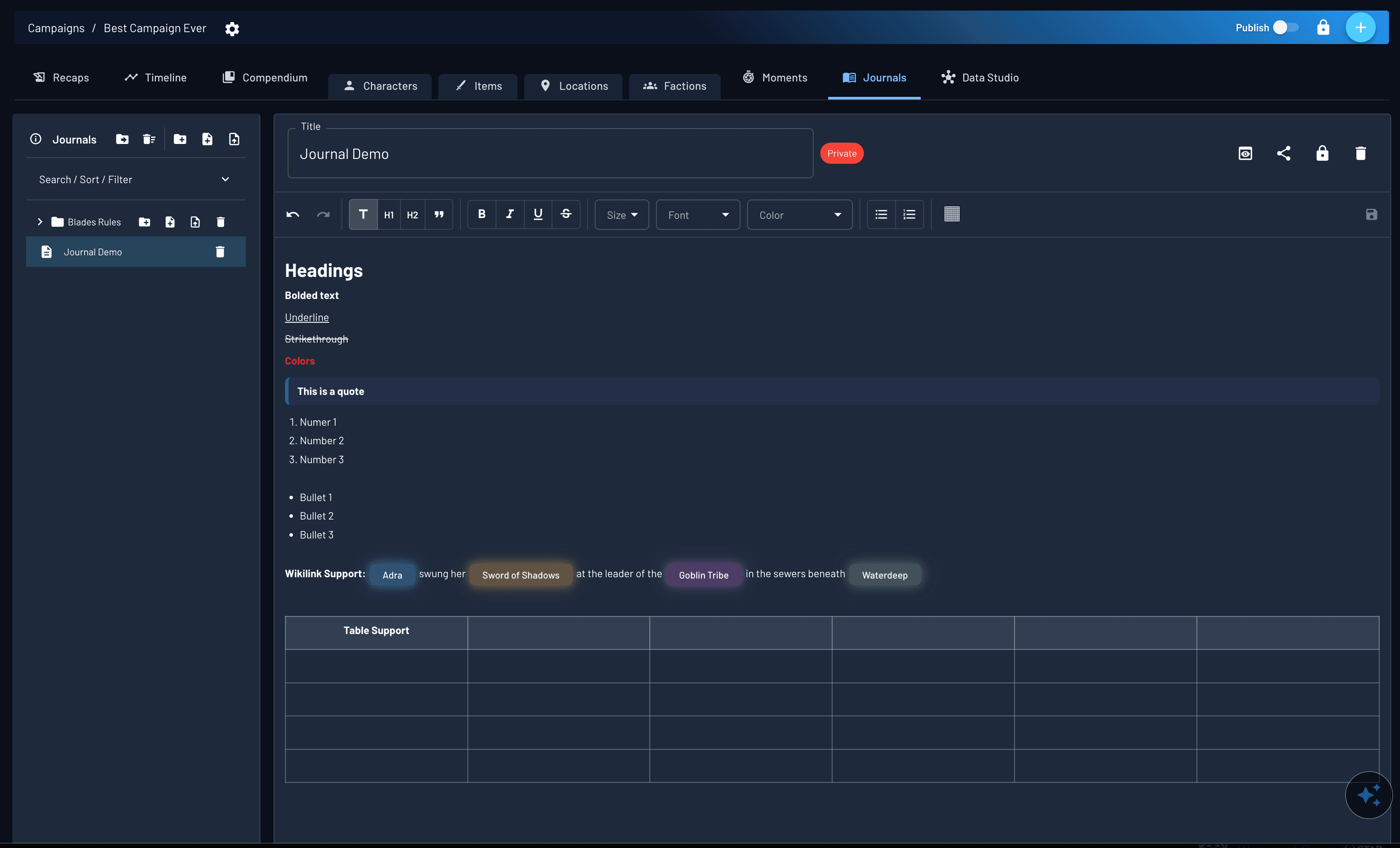
Journal entry showing rich text formatting, headings, tables, and Wikilinks.
Organized, Searchable, and Structured
Journals provide a dedicated organizational system for campaign notes that grows independently from sessions, visibility, or permissions.
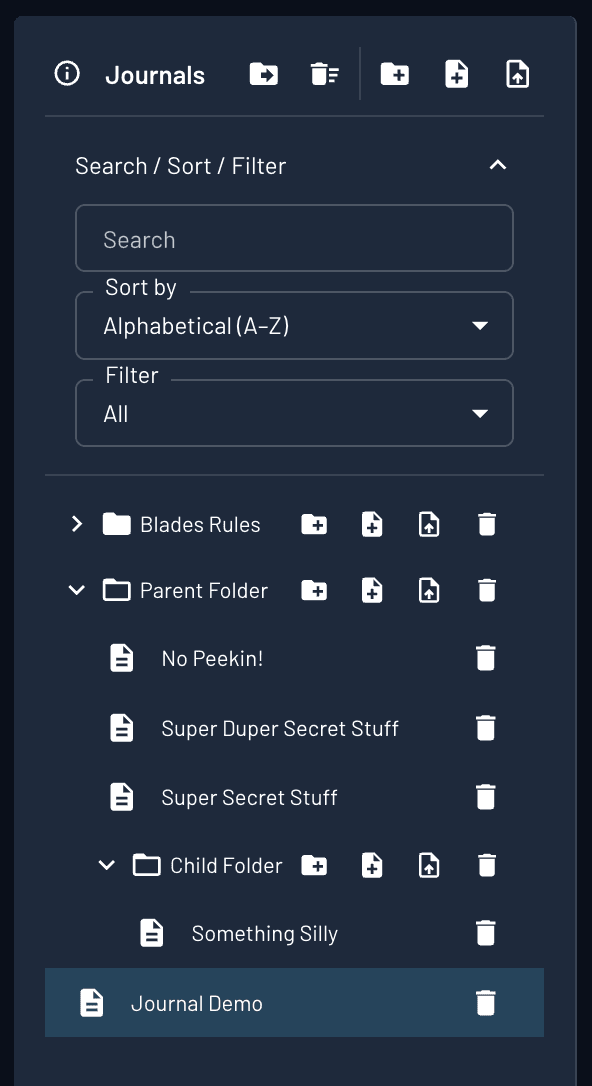
Entries are arranged using folders and navigated directly from the Journals sidebar, allowing large collections of notes to remain manageable over time.
Navigation and Discovery
- Folder-based hierarchies for grouping related journals.
- Search across all entries, scoped by visibility and role access.
- Sorting and filtering controls available directly within the tab.
Organization Is Separate From Access
Folder structure and navigation do not affect who can view or edit a journal. Visibility and permissions are managed independently, allowing structure to change without exposing content.
Permissions & Sharing
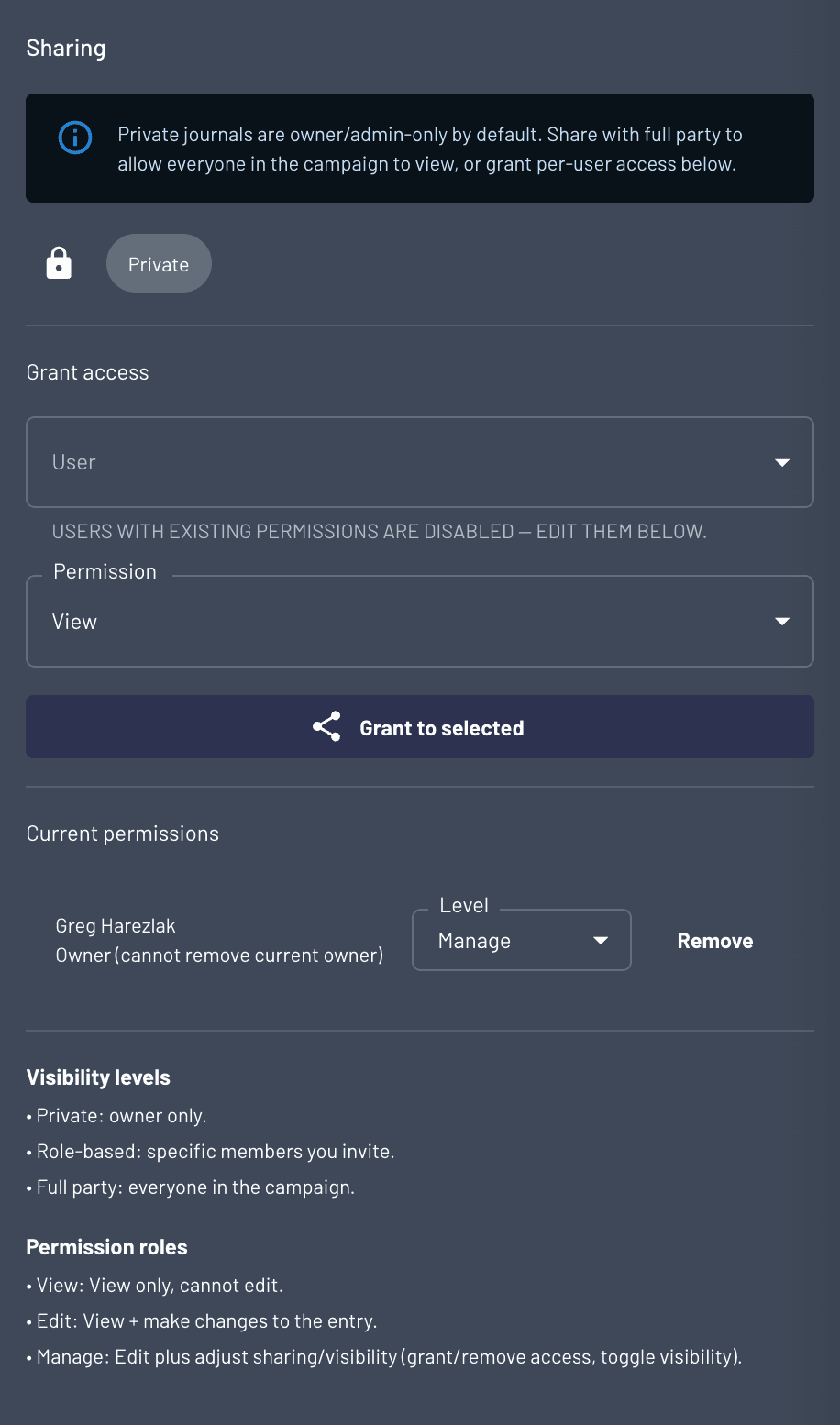
Every journal starts private and stays private until you decide to share it. Grant access at the entry or folder level with visibility and permission tiers that match the situation.
- Private journals stay invisible until explicitly shared, perfect for DM prep, player theories, or hidden lore.
- You can invite specific roles, the full party, or keep a journal owner-only while still managing it from the same tab.
- Nothing is referenced or exposed unless the visibility and permission settings allow it.
Visibility Levels
- Private: owner-only access.
- Role-based: invite specific users.
- Full party: everyone in the campaign.
Permission Levels
- View: read-only access.
- Edit: modify content.
- Manage: edit content and sharing controls.
How Journals Interact With AI
Ask Archivist references journals only when visibility allows, and it never edits or reveals private content.
- AI never edits journals nor reveals secrets you did not share.
- Journals are only used as context when the reader has explicit access.
- Access is enforced per user, per document.
Ask Archivist Improvements
- Faster answers even when sourcing across sessions and journals.
- Higher accuracy on questions like “what happened last session.”
When Ask Archivist answers, you can jump straight to the cited entry and see whether the answer draws from a journal or a session.
New: in Discord, use /askprivate to include your private journals in context (answers still post in-channel, so mind spoilers). This is already live in-app and in Discord.
Permission-Aware Answers in Practice
Ask Archivist now respects journal visibility on a per-user basis, ensuring private prep stays hidden when it should.
- DMs receive sourced answers when the journal is visible to them.
- Players asking the same question see “I don’t know” if the journal is private.
- Permissions apply across DMs and players, including private player journals.
GM
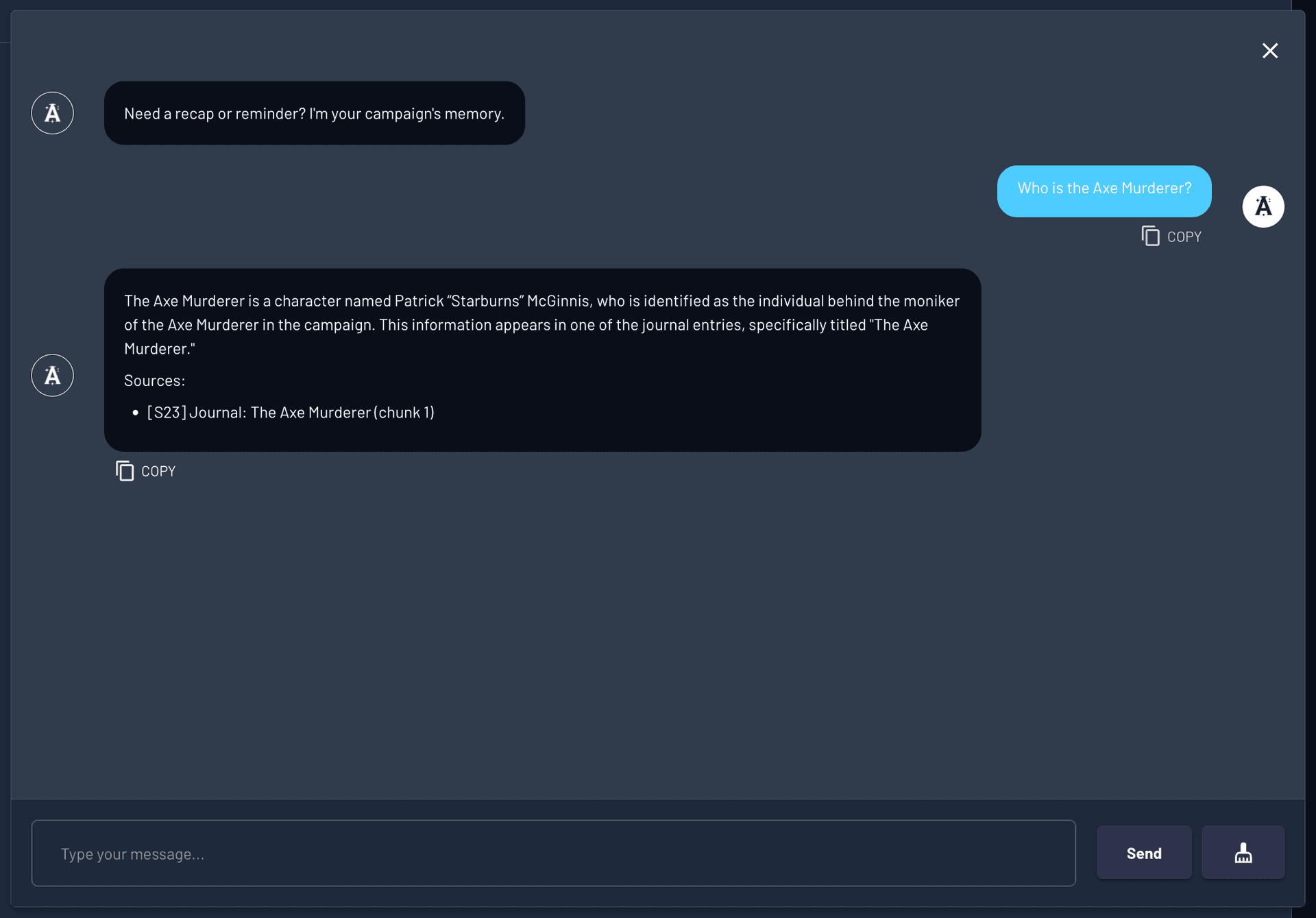
GM: Private notes (ex. Who is Axe Murderer) accessed by chatbot
Player
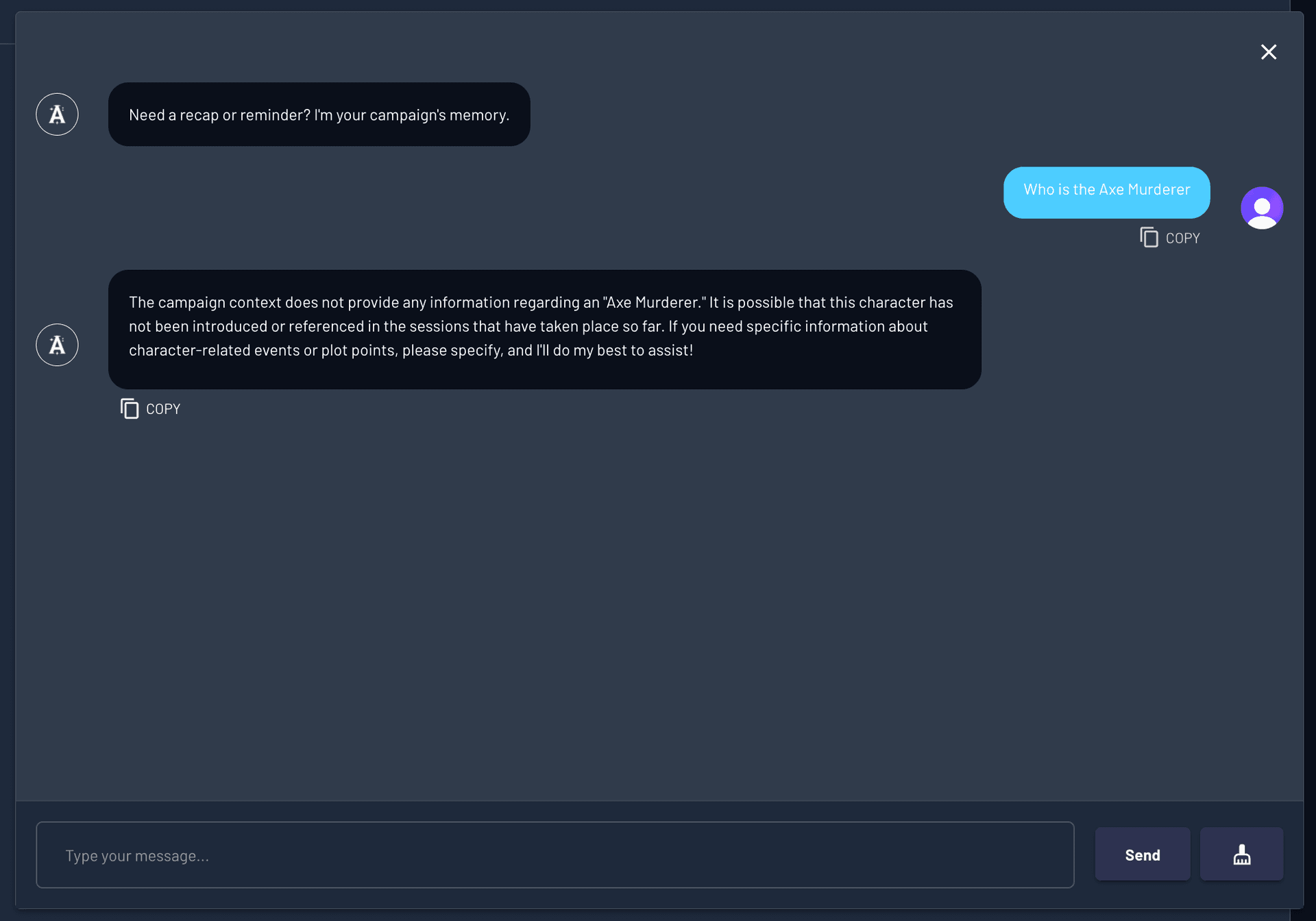
Player: No spoilers to the players, even if they ask the same question
Summary
A single system for campaign notes, prep, and reference material that stays private until you decide otherwise.
- Everything starts private by default.
- Permissions control both visibility and AI access.
- DMs and players can keep notes invisible to each other.
- Shared knowledge stays organized and searchable.
- Ask Archivist never crosses visibility boundaries.