
RELEASE NOTES
Data Studio Revamp: Campaign Benchmarks and Relationship Map
Campaign Benchmarks and a reworked Relationship Map, plus new map presets and property table workflows across your compendium.
August 24, 2026 • 4 min read
← Back to the Blog Hub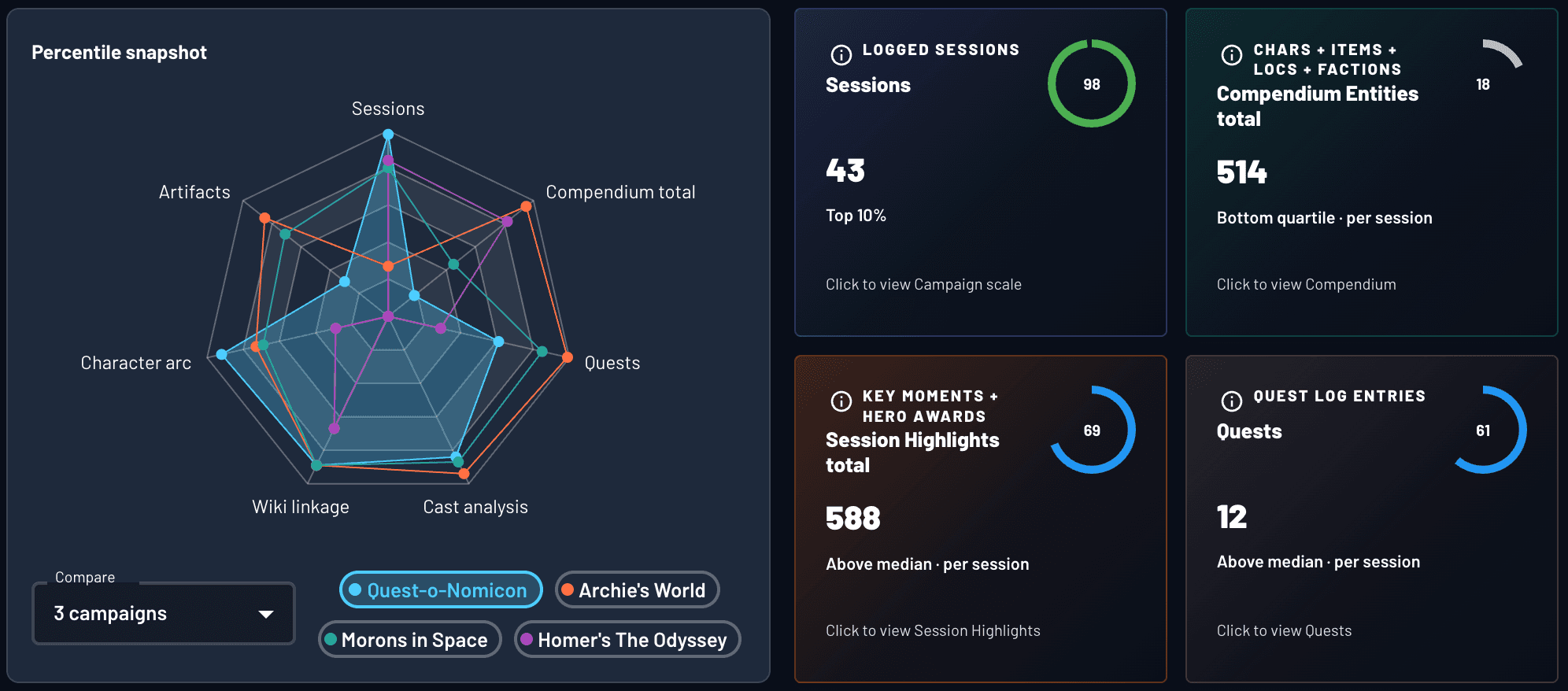
What Ships in The Release
- Campaign Benchmarks: percentile rankings for your campaign against peer tables on Archivist AI.
- Relationship Map rework: clearer preset names, grouped controls, and Actions Hub shortcuts renamed to Relationship Map.
- Property Table connections preset: map curated links from your property tables only.
- Quests preset: map each quest to the sessions and entities tied to it.
- Property table expansion: bulk refresh and bulk edit across PCs, NPCs, items, locations, and factions.
Campaign Benchmarks
Campaign Benchmarks is the in-app companion to The Data Behind D&D. Your table versus other tables on Archivist, not industry stats. We built it because we wanted to see how our own campaigns stacked up, and figured other GMs and data enthusiasts would too.
- Unlocks after your third logged session.
- Percentile rankings across campaign scale, timeline beats, compendium footprint, WikiLink connectivity, Quest Log progress, and Cast Analysis (when you have analyzed sessions).
- Headline cards for the quick read. Click through for charts and detail panels.
- Per-session percentiles so a ten-session campaign with tight documentation can still rank well on density metrics.
If you run a tight table, Cast Analysis benchmarks are worth a look. Do your players talk more or less than other groups? Is spotlight balance closer to even than most campaigns? Benchmarks answer that with percentiles instead of gut feel.
Benchmarks are anonymized and aggregated. Your campaign is never named or exposed to other users. Campaign owners and admins: open Data Studio → Campaign Benchmarks.
Relationship Map
Relationship Map is the graph inside Data Studio. It shows how entities connect across your campaign: story links between characters, items, locations, factions, and timeline beats, plus property table links and quest threads.
Each preset in the Views picker is built to answer a specific question. There are seven:
- Most Tagged: Entities ranked by WikiLink volume
- Entity Web: One compendium entity and everything linked to it
- Session: Everything tagged in a chosen session
- Story arc: Timeline beats laid out chronologically
- Property Table connections: Curated links from your property tables only
- Quests: Quest threads, sessions, and related entities
- Blank map: No locked layout; every layout mode available
Property Table connections and Quests are new in this release. The others were renamed for clarity: Top Entities is now Most Tagged, Entity Deep Dive is Entity Web, Session Specific is Session, Timeline Deep Dive is Story arc, and Playground is Blank map.
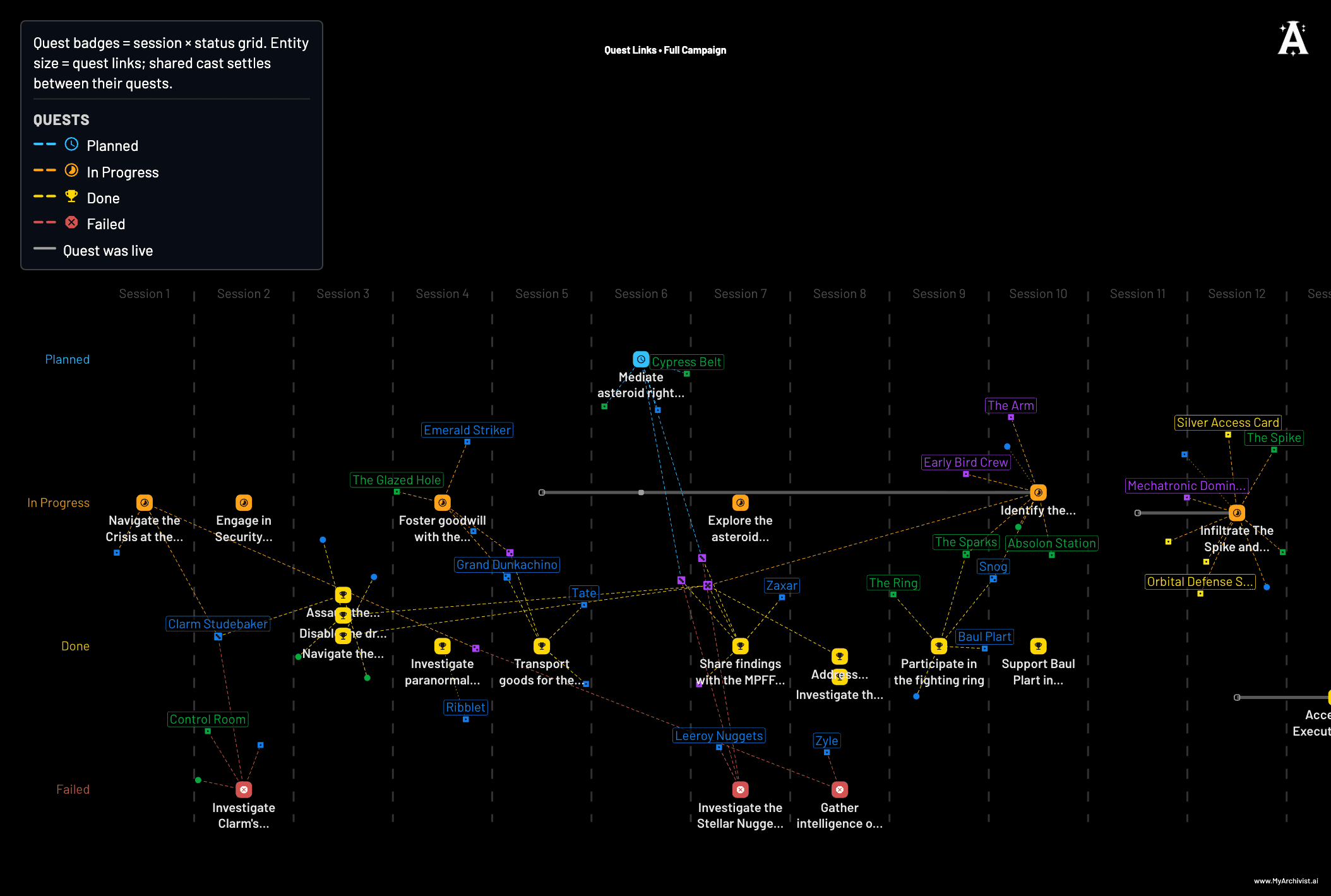
Filters, layout, labels, and node display sit in separate control cards. Canvas sizing behaves better on different screen sizes. Entity Relationship Map from Actions Hub opens a map centered on the character you pick. Still desktop-only for now.
Relationship Map walkthrough — also on YouTube.
Property tables
Property tables build a compendium that is fully WikiLinked without doing all the linking by hand. Obsidian can get you there, but the work is manual. Archivist does most of that work for you, and Relationship Map shows the result, including the Property Table connections preset.
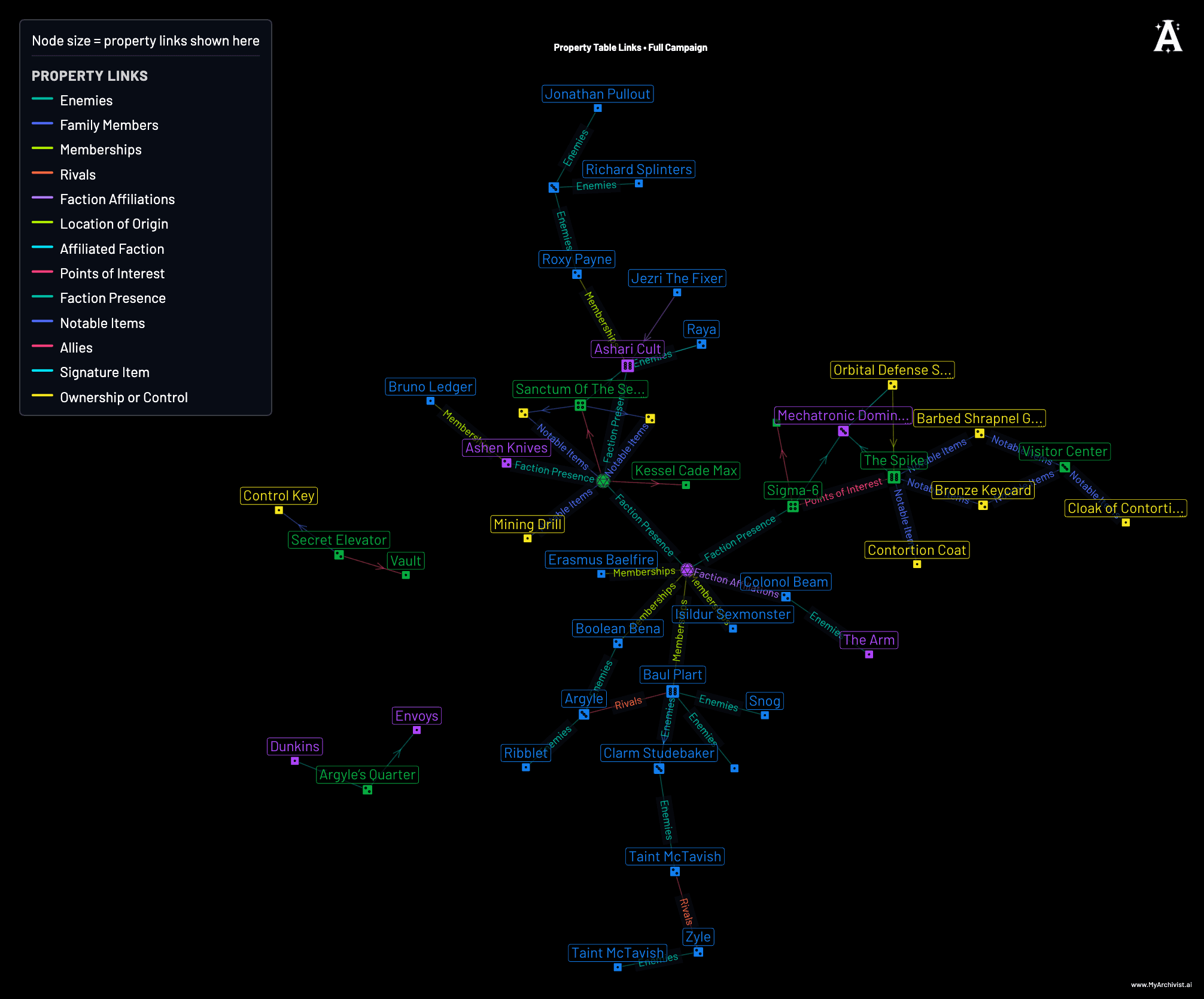
- Bulk refresh from Actions Hub covers PCs, NPCs, items, locations, and factions for campaign owners and admins. Each entity only re-reads sessions newer than its last run.
- Bulk edit from Compendium category pages in List view works for NPCs, items, locations, and factions.
- Curated table links render as first-class edges in Relationship Map.
- Manual edits no longer knock an entity out of the next bulk refresh when new timeline steps arrive.
Configure fields in Campaign Settings, then refresh from Actions Hub or per entity from Compendium pages. Step-by-step usage lives in the Data Studio documentation.
Property tables walkthrough — also on YouTube.
Common questions
What is Campaign Benchmarks in Archivist AI?
Campaign Benchmarks is a Data Studio tab that shows how your D&D or TTRPG campaign compares to other Archivist campaigns on metrics like session count, timeline beats, WikiLink density, Cast Analysis talk patterns, and Quest Log progress. It unlocks after your third logged session.
Is Campaign Benchmarks data private?
Yes. Benchmarks use anonymized, aggregated comparisons only. Your campaign is never named or exposed to other users, and individual campaign data is never shared or attributed. Only you see your own numbers.
What is the Relationship Map in Archivist AI Data Studio?
Relationship Map is the graph view inside Archivist AI Data Studio. It visualizes how characters, items, locations, factions, timeline beats, property table links, and quests connect across your campaign. The Views picker includes seven presets: Most Tagged, Entity Web, Session, Story arc, Property Table connections, Quests, and Blank map.
What are the new Data Studio map presets?
This release adds Property Table connections, which maps curated links from your property tables, and Quests, which maps each quest to the sessions and entities tied to it.
Who can see Campaign Benchmarks?
Campaign owners and campaign admins. Open Data Studio, then switch to the Campaign Benchmarks subtab inside an eligible campaign.