
RELEASE NOTES
Introducing Discord G.E.M.S.
About a minute after session end, Archivist posts Player Spotlights and Memorable Quotes to Discord.
Published March 26, 2026 • 4 min read
← Back to the Blog HubWhat It Is
G.E.M.S. stands for Game Excerpts, Mentions, and Spotlights.
Discord G.E.M.S. posts a lightweight set of session highlights to your Discord server about a minute after play ends, including:
Included for all users: Discord G.E.M.S. is available on trial and paid accounts.
Current language support: Discord G.E.M.S. currently supports English-language campaigns.
- Player Spotlights: standout plays and character moments.
- Memorable Quotes: lines your table will remember.
What Ships in Discord G.E.M.S.
- Share Sheet: session highlights in list form.
- Player Spotlight cards: visual spotlight assets.
- Memorable Quote cards: visual quote assets.
What Happens After Session End
- Finish your session as you normally do in Discord.
- Archivist reviews and analyzes your transcript.
- G.E.M.S. is posted to your configured Discord channel in about a minute.
Visual Examples
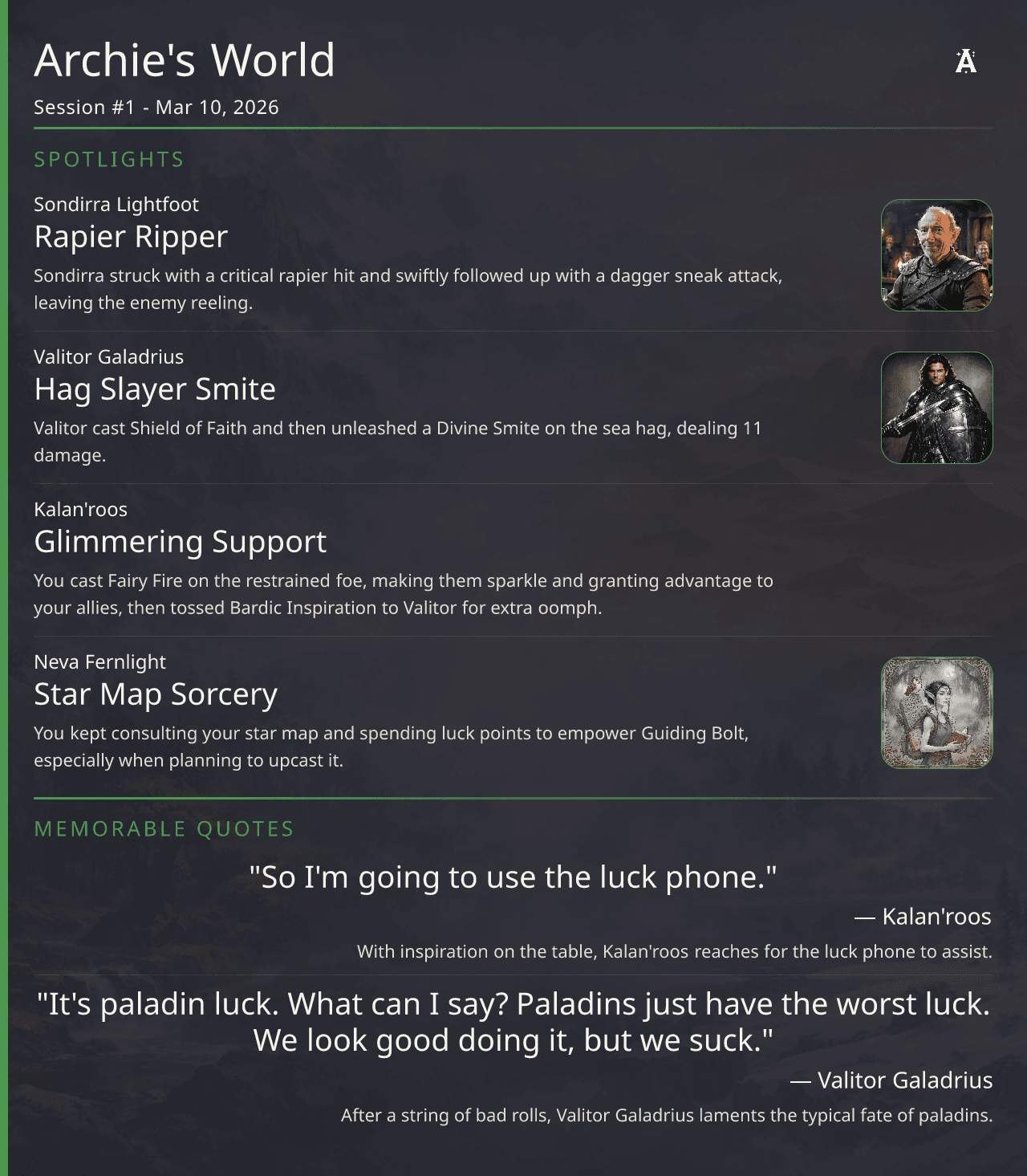
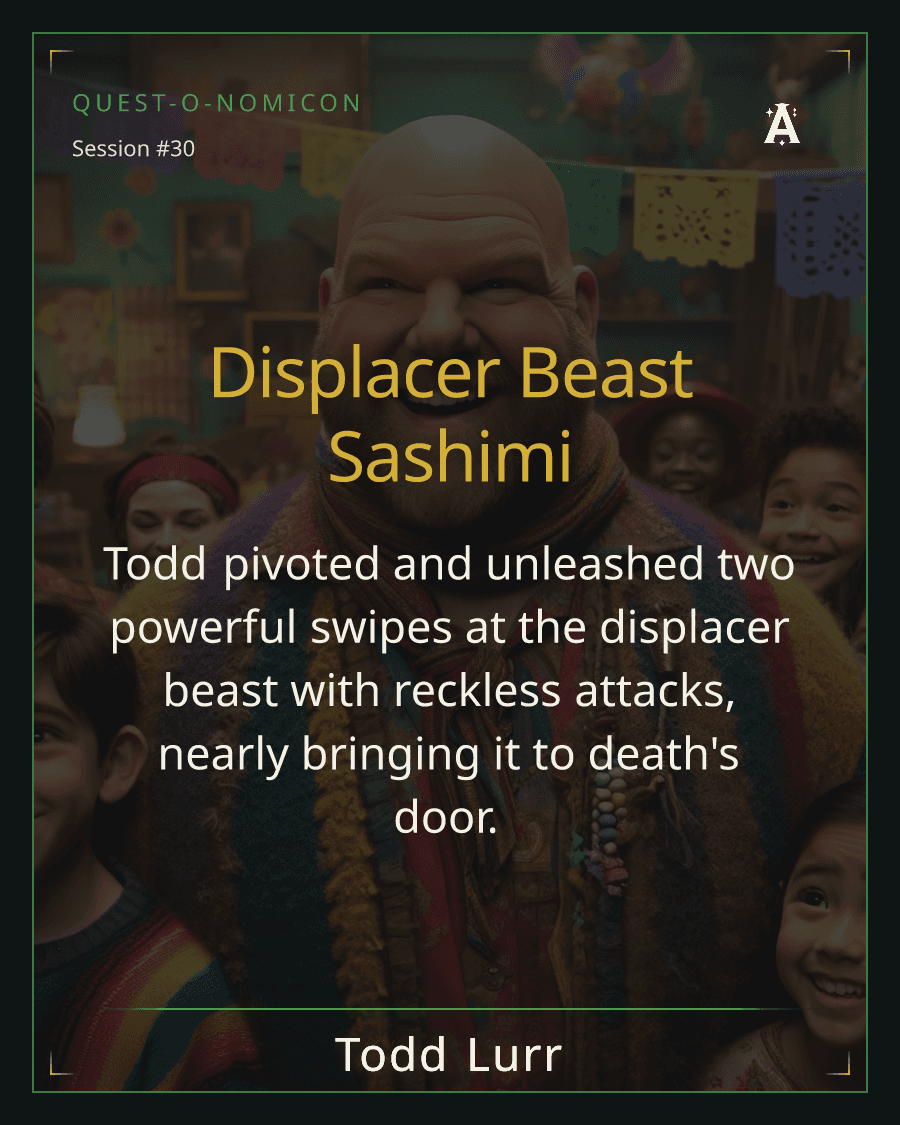
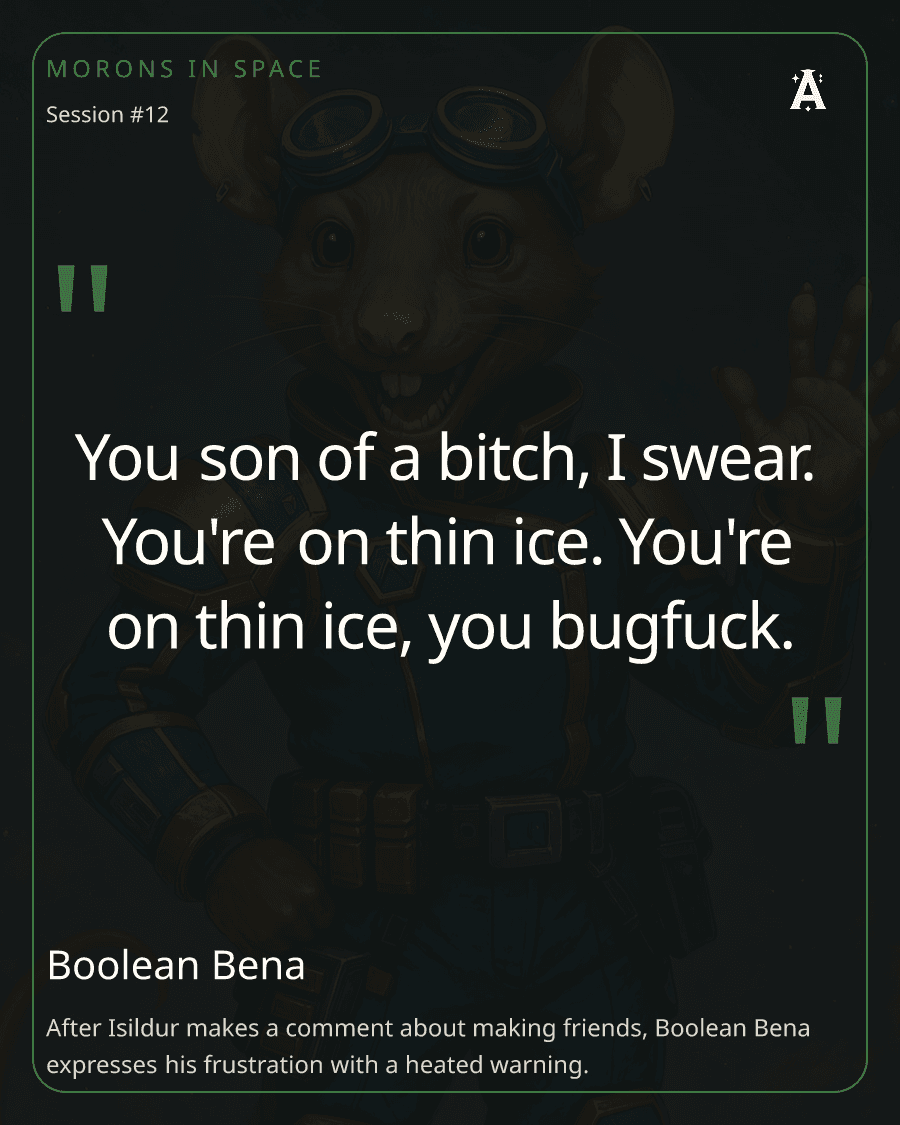
Configuration Notes
- New campaigns: Discord G.E.M.S. is enabled by default for campaigns created on or after March 25, 2026.
- Existing campaigns: for campaigns created before March 25, 2026, G.E.M.S. is off by default to avoid posting into Discord unless you turn it on.
- Turn it on or off anytime: use the toggle on the Campaign Settings page.
- Choose the posting channel: on the Discord Bot tab, select the Discord channel where G.E.M.S. should post.
- Discord must be connected: Discord integration must be connected before G.E.M.S. can post.
- Current availability: Discord G.E.M.S. currently supports English-language campaigns.
Discord G.E.M.S. is not a replacement for the full recap. It is the fast Discord-facing layer while the full campaign record remains in Archivist.