
GM GUIDE
Speed Up TTRPG Prep with AI
Use AI to handle recaps, NPCs, lore checks, and plot hooks, so you can spend your prep time on the parts of the game that make it yours.
Updated October 9, 2026 · 7 min read
By Greg H. & Greg W., co-founders of Archivist
← Back to GM GuidesThe Short Answer
AI speeds up TTRPG prep by drafting the repetitive work: session recaps, NPCs, lore lookups, world flavor, and plot hooks. You review and shape each draft. With a few reusable prompts and a tool that remembers your campaign, a multi-hour prep session can shrink to 10 to 45 minutes.
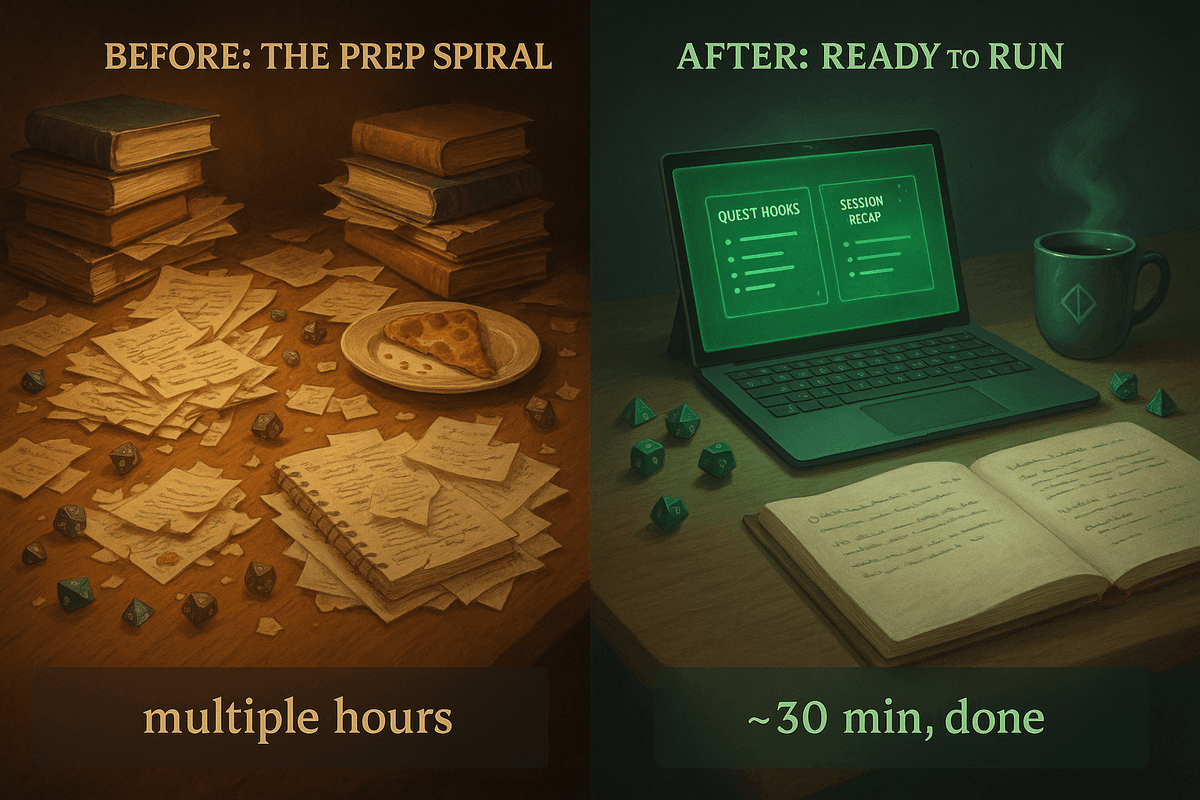
Prep is where good campaign ideas get buried. Recaps, continuity, NPCs, and worldbuilding add up fast, whether you run the game or you are a player watching your GM juggle ten lore threads. This guide shows where the time goes and how to get it back. For the full tool landscape, see our best DM tools in 2026 guide. For background, read how AI is changing TTRPGs, how players can use AI, and our overview of AI tools for TTRPGs.
Where Your Prep Time Really Goes
Prep might happen in one long sprint or in 5-minute bursts over a week. Either way, the same tasks stack up and turn a simple prep session into a marathon.
| Prep task | Typical manual time | Where AI helps |
|---|---|---|
| Writing a custom recap | 30–60 min | Turn a transcript or notes into a first-draft recap. |
| Creating an NPC with depth | 5–30 min each | Generate several options with goals and secrets. |
| Checking lore or continuity | 15–60 min | Ask a campaign-aware assistant instead of digging through notes. |
| Filling in world flavor | 15–30 min | Names, rooms, items, and rumors in one prompt. |
| Brainstorming plot hooks | 15–60+ min | Get 5–10 tailored hooks, then pick one. |
| Outlining the next session | 15–45 min | Expand a chosen hook into beats you can run. |
Time ranges are rough estimates and vary by GM and campaign.
Five TTRPG Tasks to Automate with AI
These tasks take time, and they are exactly where AI helps most. With the right prompts and context, you save hours without losing depth, voice, or creativity.
1.Session Recaps
MANUAL GRIND
You comb through notes and try to turn scattered memories into something coherent. Easily 30–60 minutes.
AI-ENHANCED FLOW
Feed your transcript into a model, ask for a summary in your format and tone, and tweak it. A usable recap in 5–10 minutes.
PROMPT EXAMPLE
“Summarize this TTRPG session in a lighthearted, fantasy narrator voice. Highlight the three most important events and include player names.”
TAKE IT FURTHER
Get specific. Ask for character arcs, locations visited, open quests, relationships that changed, or major combat events. See a full example in our Prompt Engineering 101 for TTRPGs guide.
2.NPC Creation
MANUAL GRIND
One well-rounded NPC can take 30+ minutes, especially if they tie into the main story.
AI-ENHANCED FLOW
One prompt generates several options, each with personality, a secret, and a hook. Pick one, tweak it, and go.
PROMPT EXAMPLE
“Generate 5 fantasy NPCs a party might meet in a crowded desert marketplace. Include name, appearance, goal, unique characteristic, and one secret.”
A general-purpose model or NPC generator gives you scaffolding, not a character tied to your campaign. Adjust the result to fit your story.
3.Lore Recall and Continuity
MANUAL GRIND
You flip through old docs, text threads, or notebooks and hope you can read your own handwriting.
AI-ENHANCED FLOW
Ask an assistant that has your session history or transcripts, and get the answer instantly. Archivist has this built in. General models like ChatGPT, Claude, or Gemini work too when you give them the right context.
PROMPT EXAMPLE
“Who was the warlock we met in ByRiver, and what did they want from us?”
4.Worldbuilding
MANUAL GRIND
Naming a tavern or describing a room can turn into a 20-minute research rabbit hole.
AI-ENHANCED FLOW
One sentence gives you something flavorful and consistent with your setting.
PROMPT EXAMPLE
“Describe a ruined alchemy lab overtaken by plant life. Include 3 notable items the players might discover.”
TAKE IT FURTHER
Visualize what the party finds with an image generator. Follow up with: “Turn this description into a visual prompt for an AI image generator.”
5.Plot Hook Brainstorming
MANUAL GRIND
Finding a quest idea that fits your tone, party level, and pacing can take an hour or more.
AI-ENHANCED FLOW
Prompt for 5–10 tailored hooks, choose the one that clicks, and develop it in minutes.
PROMPT EXAMPLE
“Give me 5 low-stakes plot hooks appropriate for a level 5 party in a coastal port town. Nothing world-ending.”
TAKE IT FURTHER
“Now expand the [chosen plot hook] into a 3-beat narrative arc. For each beat, include a central conflict, the resolution or outcome, and a unique gameplay element such as a social challenge, puzzle, investigation, or combat scenario.”
Now You Have Time for the Fun Stuff
AI does more than save time. It creates room for the extras that bring your world to life. Reinvest the time in a nap (no judgment) or in leveling up your game.
In-character artifacts and world flavor
Handouts like letters, bard songs, and bounty posters. In-world documents like town gossip, prophecies, and shop menus. Cursed journals written from an NPC’s perspective.
Recaps with personality
Recaps from one character’s point of view, or in a specific voice like noir, fairytale, or cosmic horror. Highlight reels for flashbacks and inspiration.
Narrative depth and simulation
“What if” outcomes from choices the players did not make. Alternate paths and flashbacks. Old bullet-point notes expanded into vivid scenes.
Utility and world consistency
Random encounter tables, side quest rumors, exposition rewritten as dynamic scenes, and continuity gaps caught across sessions.
A Sample 30-Minute Prep Routine
With AI in your toolkit, session prep becomes a springboard instead of a grind. Here is a 30-minute workflow:
| Time | Step |
|---|---|
| 0–5 min | Skim the outline from last session. |
| 5–10 min | Generate and tweak a recap. |
| 10–15 min | Prompt new NPCs and key locations. |
| 15–25 min | Review plot hooks and build around the best one. |
| 25–30 min | Create an in-world prop: a poster, scroll, or tavern sign. |
By the end, you are not just ready to run. You are excited to see where the session goes.
PRO TIP
Ground prompts in campaign memory. “What happens if the party loses the artifact from Session 12?” gets a better answer than “Give me a twist involving an artifact.”
Using AI During the Session
AI does not have to sit out once the game starts. A campaign assistant like Archivist can support you behind the screen, so you stay present while the world stays coherent.
Quick lore access
Ask for facts mid-session without pausing to dig through notes.
Consistency checks
Keep plot threads and callbacks aligned across sessions.
On-the-fly ideas
Generate a landmark, personality traits for an NPC the party was not supposed to talk to, or a magic item that fits your world.
It is like a well-organized notebook that answers back, without breaking the flow of the game. To feed it clean source material, see how to automatically take notes during D&D.
Pro Tips to Use AI Without Losing Your Voice
- Start with a first draft, not a masterpiece. Use AI to break the blank page, then refine.
- Save your favorite prompts. Reuse, refine, and remix what works. You are building your own prep toolkit.
- Let AI handle the scaffolding. Spend your energy on pacing, emotion, and roleplay moments.
- Use tools that know your world. Campaign-aware tools are ideal, but even general models do well with clear input.
TTRPG Prep with AI: FAQ
How can AI save time preparing a D&D session?
AI drafts the repetitive parts of prep: session recaps, NPCs, lore lookups, world flavor, and plot hooks. You review and shape the result. Many GMs can compress a multi-hour prep session into 10 to 45 minutes with a few reusable prompts.
What should I automate with AI first?
Start with session recaps. They take 30 to 60 minutes by hand and are easy to check against what actually happened. Add NPCs, plot hooks, and lore lookups once you have prompts you trust.
Which AI is best for TTRPG prep?
ChatGPT, Claude, and Gemini all work for brainstorming when you give them clear input. For recaps and continuity, a campaign-aware tool such as Archivist works better because it already holds your session history.
Can I use AI during a live game?
Yes. A campaign assistant can answer lore questions, check continuity, and generate a quick NPC trait or landmark without making you stop and search your notes.
Will AI make my game feel generic?
Only if you publish its first draft unchanged. Use AI for scaffolding, then add your own pacing, voice, and player-specific details. Prompts grounded in your campaign history produce more specific results than generic ones.
Start Small. See What Sticks.
AI does not replace the craft of GMing. It removes the friction, so you can focus on the story moments that matter. If prep feels like a second job, try AI for just one task: a recap, an NPC, or a bit of world flavor.
Players, you can nudge your GM to try it too, or use it yourself to deepen your character and write journal entries between sessions.